Anúncios
Recurring payments are convenient until they become invisible. A few small charges can blend into your statement, renew automatically, and keep billing long after you stopped using the service. This is how “subscription leaks” happen: money leaving your account every month without a clear decision behind it.
The good news is that you do not need extreme budgeting to fix this. You need a repeatable process. When you audit recurring charges, cancel what you do not use, and renegotiate what you keep, you can free up cash quickly without changing your lifestyle in dramatic ways.
This guide shows a practical system to find hidden renewals, cancel subscriptions efficiently, and reduce ongoing costs. It also explains why some charges keep coming back, what to do when cancellation is difficult, and how to prevent leaks from returning.
What subscription leaks look like in real life

Subscription leaks are not only streaming services. They usually come from a mix of:
- Free trials that converted into paid plans
- Apps you used once and forgot
- Duplicate services that overlap
- “Monthly” tools used a few times per year
- Old memberships that never got canceled
- Small add-ons attached to bigger services
- Price increases that went unnoticed
They can also appear under unfamiliar merchant names. Payment processors sometimes show a legal entity name instead of the brand you recognize. That makes leaks harder to spot unless you audit with intention.
Step 1: Build a complete list of recurring charges
Start with a full inventory. This is where most people miss money, because they only remember the obvious subscriptions.
Where to look
Check these places:
- Credit card statements (at least the last 2–3 months)
- Bank account statements (especially if you use direct debit)
- Digital wallets and app stores (Apple/Google subscriptions)
- PayPal or similar payment accounts if you use them for billing
- Email receipts (search terms like “renewal,” “subscription,” “receipt,” “invoice”)
- Your calendar or notes if you track annual renewals
You are aiming to capture monthly, quarterly, and annual renewals. Annual subscriptions often leak more because they are easy to forget and harder to notice.
What to record
Create a simple list with:
- Service name (and merchant descriptor if different)
- Monthly cost (convert annual costs into a monthly equivalent)
- Billing date
- Payment method used
- Whether you truly used it in the last 30 days
- Plan tier (basic, premium, family, etc.)
This list becomes your control center. It is the foundation for any plan to cancel subscriptions and save money consistently.
Step 2: Categorize everything in three buckets
Once you have the list, do not decide item by item with emotion. Use a clear sorting method.
Bucket A: Keep (high value, used often)
These are subscriptions that deliver consistent value and are actively used. Keep them, but still check if you are overpaying or on the wrong tier.
Bucket B: Replace or downgrade (value exists, but cost is too high)
This includes services you want, but:
- You are paying for features you do not use
- There is a cheaper plan that fits your real needs
- A family plan is cheaper than separate accounts (or the opposite)
- A competitor offers similar value for less
Bucket C: Cancel (low value, unused, or redundant)
This is the easy win category. If you have not used it recently and it is not essential, it belongs here.
Step 3: Prioritize cancellations by impact
To get momentum fast, cancel in the right order.
Start with:
- High cost + low use
- Medium cost + no use
- Small charges you forgot existed
- Annual renewals you can cancel before the next billing cycle
If your goal is to cancel subscriptions to save money quickly, this order gives immediate results and reduces decision fatigue.
Step 4: Cancel efficiently without missing steps
Cancellations fail most often for one reason: people stop after “turning off auto-renew,” but the service still has access through a different channel.
Common billing paths
A subscription can be billed through:
- The service directly (website account)
- An app store subscription (Apple/Google)
- A digital wallet (PayPal)
- A bank direct debit authorization
- A “card on file” arrangement
Make sure you cancel in the billing system that actually controls the renewal.
Confirm cancellation properly
After canceling, always verify:
- You received a confirmation email or confirmation screen
- The account shows an end date or “expires on” date
- Auto-renew is disabled
- You can still access the service until the end of the paid period (if expected)
Save the confirmation email or take a screenshot. This matters if you have to dispute later.
Watch for “pause” vs “cancel”
Some services offer “pause,” “freeze,” or “deactivate” options that do not stop billing. Make sure your action stops charges, not just usage.
Why charges sometimes keep happening after you cancel
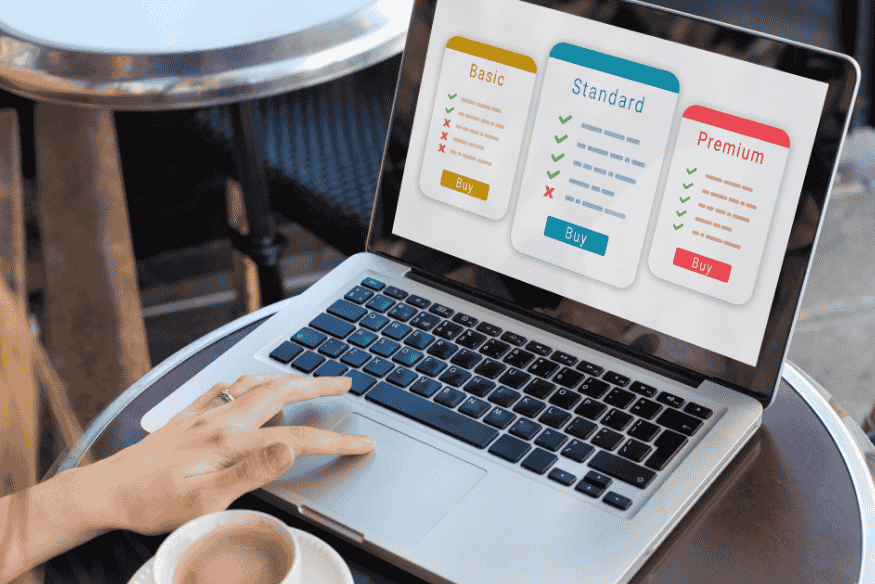
This is one of the most frustrating parts of recurring payments. If a charge appears after cancellation, it is usually due to:
- You canceled the account login but not the subscription billing method
- The service renewed before your cancellation took effect
- You were on a different plan under a different email
- You canceled a trial, but another linked subscription remained active
- The charge is a bundled add-on inside another product
If this happens, do not assume it is hopeless. Treat it as a process problem and work through a clear escalation path.
Step 5: Use a simple escalation path when cancellation is difficult
If a company makes it hard to stop billing, follow this sequence.
1) Cancel with the company first
Use their official cancellation flow. If possible, do it in writing (support chat that generates a transcript, email, or ticket).
2) Revoke authorization for bank-account debits if needed
If the payments are coming from your bank account via automatic debit, you may be able to revoke authorization with the company and also request help from your bank to stop future debits.
3) Use dispute channels only when appropriate
Disputes can be valid if you were charged after cancellation or if you were billed without proper consent. Keep documentation. Treat disputes as a last step, not your first move.
The goal is to stop the leak permanently, not just get one refund.
Step 6: Lower recurring costs without canceling everything
Not every subscription needs to go. Many just need a better price or a better plan.
Downgrade tiers based on real usage
Ask:
- Do I use premium features weekly, or did I upgrade once and forget?
- Am I paying for higher quality, more storage, or extra seats that I do not need?
- Would a basic plan cover the same outcome?
Downgrades are often the easiest way to save without losing access.
Switch from monthly to annual only when usage is stable
Annual plans can reduce cost, but only if you are confident you will keep the service.
Use a simple rule:
- If you used it consistently for several months and it is essential, annual may make sense.
- If usage is uncertain, stay monthly even if it costs slightly more.
Negotiate or use retention offers
Some services offer discounts when you try to cancel. If it is in your “keep” category but feels overpriced, attempt cancellation and see if a discount appears. If it does not, contact support and ask if there is a lower-cost plan or a promotion.
Bundle strategically, not automatically
Bundles can save money when they replace multiple services you already pay for. They waste money when they add features you will not use.
Before bundling, compare:
- Total cost of current separate services
- Bundle price
- Features you actually use
- Whether the bundle locks you in long-term
Step 7: Prevent subscription leaks from coming back
A one-time cleanup is good. A system is better.
Create a “subscriptions” dashboard
Keep your list updated. Add a column called “review date” and set a quarterly check-in.
During each review:
- Remove canceled items
- Adjust prices if they changed
- Re-evaluate any item in the “replace/downgrade” bucket
Turn on recurring payment alerts
Many banks and card issuers allow alerts for transactions above a set amount, online transactions, or recurring charges. Alerts help you catch new subscriptions immediately instead of months later.
Use one payment method for most subscriptions
If possible, concentrate subscriptions on one card or one account. This makes audits easier and reduces the chance of missing charges scattered across different payment methods.
Understand why replacing your card may not stop recurring charges
Many people assume that getting a new card number stops old subscriptions. In some cases, recurring payments can continue because card networks and payment systems support automatic account updates that help merchants keep subscriptions active after card re-issuance.
The practical takeaway:
- Do not rely on card replacement as a cancellation strategy.
- Always cancel at the merchant or platform level.
Track annual renewals with reminders
Annual renewals leak because they are out of sight. Create reminders 30 days before renewal dates so you can cancel or renegotiate in time.
A practical subscription audit script you can follow
Use this quick script for each line item in your list:
- Did I use it in the last 30 days?
- Would I buy it again today at this price?
- Is there overlap with another service?
- Is there a cheaper tier that matches my usage?
- If I cancel, what is the real downside?
If the answers do not justify the cost, cancel. If the value is real but the price is wrong, downgrade or renegotiate.
This approach keeps decisions consistent and makes it easier to cancel subscriptions to save money without overthinking every item.
Common mistakes that keep leaks alive
Canceling “later”
If you already decided to cancel, do it immediately. Every delay is another billing cycle risk.
Forgetting about app store subscriptions
Many app subscriptions are controlled by your Apple ID or Google account, not the app itself. Always check the platform subscription list.
Letting small charges slide
Small charges are the definition of leaks. A few minor renewals add up over a year.
Keeping duplicates “just in case”
If two services solve the same problem, pick one. If you are afraid to cancel, downgrade to the cheapest tier for a month and test whether you miss it.
Not documenting cancellation
A confirmation email or screenshot makes disputes simpler. It also prevents second-guessing later.
Conclusion
Subscription leaks are common because recurring payments are designed to run quietly. You do not fix them with motivation. You fix them with a repeatable system: audit your statements, list every recurring charge, cancel what you do not use, downgrade what is overpriced, and set reminders so renewals do not surprise you.
If you want a simple next step, open your last two statements and build your subscription list today. Then cancel the top three items that deliver the least value. That single action can reduce monthly costs quickly and make your budget feel lighter without sacrificing what you actually use.